

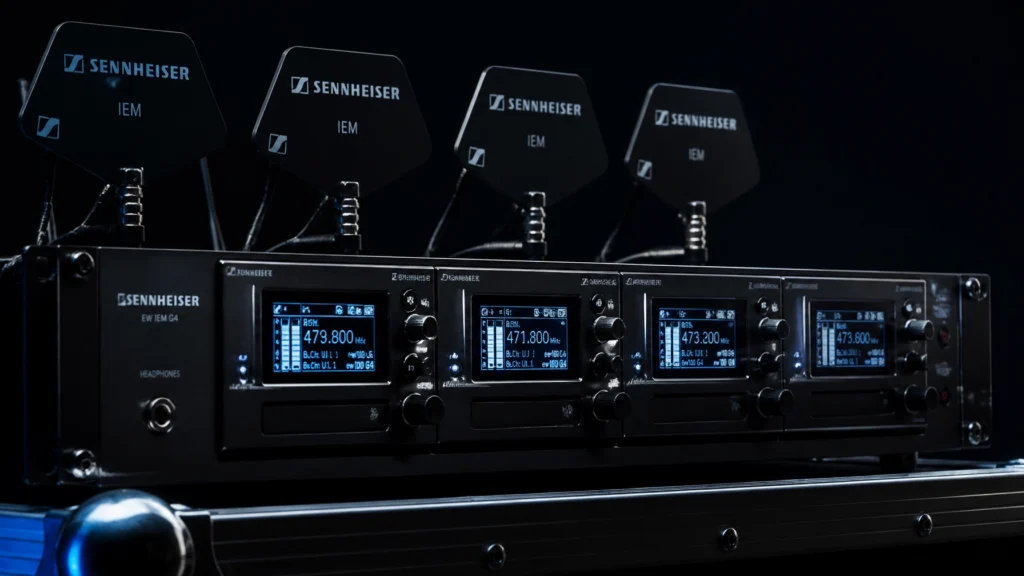
Wireless in-ear monitor (IEM) systems are critical components of modern pro audio equipment setups. They provide musicians with consistent monitoring while reducing stage volume. However, improper configuration of these sound systems for musicians often leads to signal dropouts, audio artifacts, and hearing fatigue.
JAMMIN' Sound Solutions provides professional sound solutions to ensure technical reliability. This guide identifies seven common errors in wireless IEM management and provides technical protocols for their resolution.
1. Lack of Frequency Coordination (Intermodulation)
The most frequent error in wireless operation is the manual selection of frequencies without considering intermodulation (IMD). When multiple transmitters operate in proximity, they generate phantom frequencies. If these IMD products land on an active receiver’s frequency, interference occurs.
Using "open" frequencies found through a basic scan is insufficient for multi-channel systems. As more channels are added, the mathematical complexity of finding compatible frequencies increases.
How to Fix It:
- Utilize professional frequency coordination software such as Shure Wireless Workbench or Sennheiser Wireless Systems Manager.
- Group transmitters within compatible frequency sets provided by the manufacturer.
- Ensure a minimum "guard band" of spacing between wireless microphone frequencies and IEM frequencies.
- Refer to the ultimate guide to wireless mic frequencies for detailed spectrum management.
2. Improper Antenna Placement
Antenna placement directly impacts the reliability of the RF link. A common mistake is leaving the stock 1/4-wave antennas on the back of the transmitters inside a metal rack. Metal and human bodies absorb RF energy, leading to signal degradation. Placing antennas too close to each other also causes near-field interference and increased IMD.

How to Fix It:
- Maintain a clear line-of-sight between the transmit antenna and the performer's bodypack.
- Use remote antenna mounting kits to move antennas outside of metal equipment racks.
- Employ directional "paddle" antennas for larger stages to focus RF energy toward the performance area.
- Maintain a minimum of one wavelength of physical separation between antennas to reduce coupling.
- Consult the JAMMIN' guide on choosing the right antenna for your wireless setup for technical specifications.
3. Incorrect Gain Staging
Gain staging is the process of managing signal levels through each stage of the audio gear chain. Many operators feed the IEM transmitter a signal that is either too weak, resulting in a high noise floor, or too hot, causing the transmitter’s internal limiter to engage constantly. This results in a compressed, "squashed" sound that lacks clarity.

How to Fix It:
- Set the console's bus output so that peaks reach approximately -12 to -6 dBFS.
- Adjust the input sensitivity (gain) on the IEM transmitter until the meters peak near 0 dB without hitting the red "clip" or "limit" indicators.
- Instruct performers to set their bodypack volume knobs to roughly 70%. If they require more volume, increase the send level at the console rather than maxing out the pack, which can introduce distortion.
- Review essential maintenance tips to ensure connectors and pots are clean for optimal signal transfer.
4. Poor Isolation and Ear Tip Seal
The quality of the audio experience is largely dependent on the physical seal of the ear tip. A poor seal allows stage noise to enter the ear canal and causes a significant loss of low-frequency response. Musicians often compensate for this loss by increasing the volume to dangerous levels.

How to Fix It:
- Experiment with different sizes and materials (silicone vs. foam) to find the most secure fit.
- Ensure the ear tip is inserted deeply enough to create an airtight seal.
- Consider custom-molded ear tips for maximum isolation and comfort during long performances.
- For organizations like houses of worship, see our article on IEMs for church worship bands for specific recommendations.
5. Excessive RF Gain and Signal Overload
A common misconception is that "more power is better" in wireless systems. Using high-gain active antennas or setting transmitters to "High Power" (e.g., 50mW or 100mW) in small rooms can overload the receiver's front end. This causes "splatter" across the RF spectrum and increases intermodulation products, leading to more dropouts.
How to Fix It:
- Use the lowest power setting necessary for the venue size (typically 10mW is sufficient for most indoor stages).
- Avoid active antennas unless long cable runs (over 50 feet) require compensation for signal loss.
- Use high-quality, low-loss coaxial cables (such as RG-8X or LMR-400) to maintain signal integrity without needing excessive gain.
- Diagnose these issues further by reading why your wireless mic keeps cutting out.
6. Failure to Scan from the Performance Area
Most engineers perform a frequency scan at the rack position. However, the RF environment at the rack may differ significantly from the environment on stage. Local interference from LED walls, lighting ballasts, or other electronic devices on stage may not be detected from the sound booth or side-stage rack.
How to Fix It:
- Use a bodypack to perform a "Sync Scan" or "Group Scan" while standing in the center of the performance area.
- Walk the stage with the bodypack to identify "dead zones" or sources of interference before the performance begins.
- Use a dedicated RF spectrum analyzer for a more comprehensive view of the local environment.
- Follow our step-by-step guide to setting up your first wireless IEM system for a standardized workflow.
7. Improper Bodypack Management and Listening Levels
How the performer wears the bodypack affects signal stability. Placing the pack in a pocket or behind thick clothing can attenuate the signal. Furthermore, neglecting hearing safety by running high volumes for extended periods can lead to permanent hearing damage.
How to Fix It:
- Secure the bodypack to a belt or guitar strap with the antenna pointing upward and away from the body.
- Avoid wrapping the antenna around the pack or bunching it up.
- Encourage the use of "ambient" microphones in the mix so performers do not feel isolated and feel the need to remove one earbud: a practice that is dangerous for hearing health.
- Implement brick-wall limiting on the IEM bus at the console as a secondary safety measure.
Conclusion
Technical proficiency in managing wireless IEM systems is required to maintain the high standards of professional sound solutions. By addressing frequency coordination, antenna placement, and gain staging, audio professionals can ensure a reliable and high-quality monitoring environment for musicians. JAMMIN' Sound Solutions offers the expertise and pro audio equipment necessary to optimize these systems for any venue.