

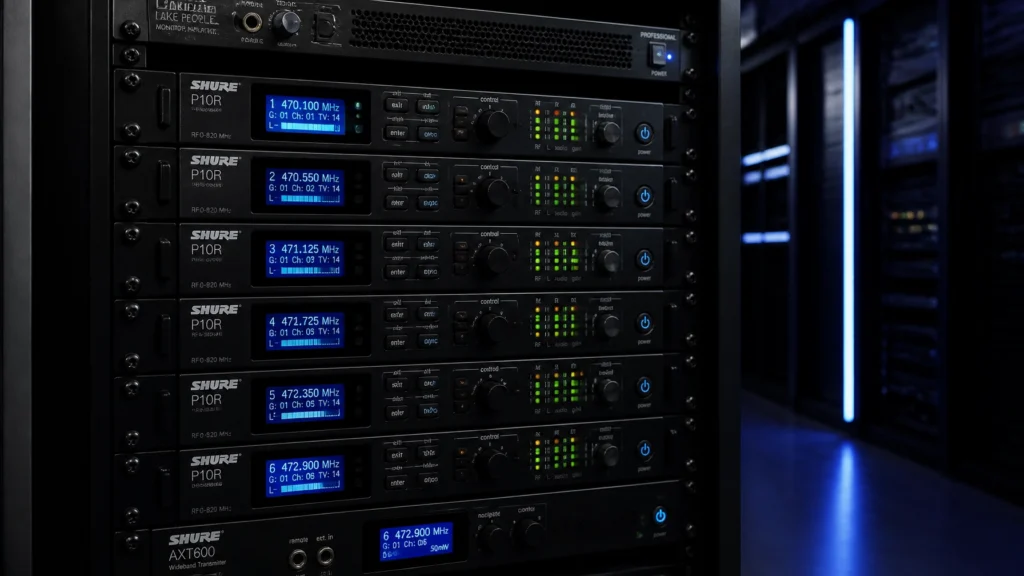
Wireless In-Ear Monitor (IEM) systems are essential components of modern pro audio equipment configurations. They provide musicians with precise monitoring while reducing stage volume and protecting long-term hearing. However, improper setup often leads to technical failures such as audio dropouts, signal interference, and poor frequency response.
Achieving a reliable wireless IEM performance requires a technical understanding of Radio Frequency (RF) management and signal flow. This guide identifies seven common mistakes made with wireless IEM systems and provides professional solutions to ensure stable, high-quality audio.
1. Improper Antenna Placement and Signal Obstruction
A frequent error in sound systems for musicians is leaving the standard whip antennas attached to the back of the transmitter units inside a metal rack. Metal enclosures and dense cabling act as RF shields, significantly reducing the effective range and stability of the signal.
The Fix:
Maintain a clear line of sight between the transmitter antenna and the receiver bodypack. Use a front-mount antenna kit or remote mount your antennas using high-quality BNC cables. Positioning antennas above head height helps avoid signal absorption caused by the human body, which is primarily composed of water and acts as an effective RF attenuator. For more detailed information on selecting the correct hardware, refer to our guide on how to choose the right antenna for your wireless setup.

2. Neglecting Frequency Coordination and Intermodulation
Many users select frequencies manually or use the "auto-scan" feature on a single unit without considering the entire RF environment. This often results in intermodulation distortion: where multiple transmitters interact to create "ghost" frequencies that interfere with other channels. This is a common issue when integrating new audio gear into an existing setup.
The Fix:
Perform a comprehensive RF scan at every new venue. Turn off all transmitters (mics, IEMs, and instruments) before scanning to identify the background RF noise floor. Once clean frequencies are identified, use coordination software such as Shure Wireless Workbench or Sennheiser Wireless Systems Manager to calculate intermodulation-free channel sets. Always coordinate your IEM frequencies alongside your wireless microphone systems to prevent cross-interference.
3. Incorrect Gain Staging and Transmitter Clipping
Distorted or noisy IEM mixes are often the result of poor gain staging. If the signal sent from the mixing console is too hot, it will clip the transmitter’s input stage, resulting in harsh digital distortion. Conversely, if the signal is too low, the user must compensate by turning up the bodypack volume, which raises the noise floor and introduces audible hiss.
The Fix:
Align your gain structure from the source to the ear. Ensure the output level of your monitor bus on the console is hitting around 0 VU (or -18 dBFS in digital systems). Adjust the input sensitivity (gain) on the IEM transmitter so the meters peak just below the red "Clip" indicator during the loudest parts of the performance. Set the bodypack volume to approximately 50-70% and adjust the console send for the final comfortable listening level.
4. Failure to Achieve a Proper Acoustic Seal
The audio quality of even the most expensive professional sound solutions is compromised if the earpiece does not fit correctly. A poor seal leads to a complete loss of low-frequency response, making the mix sound thin and "tinny." This often causes musicians to turn up the volume to dangerous levels to compensate for the lack of bass.
The Fix:
Experiment with different ear tip materials and sizes. Foam tips generally provide superior isolation and low-end response compared to silicone tips because they expand to fit the unique shape of the ear canal. If universal tips do not provide an adequate seal, consider investing in custom-molded earpieces. A proper seal should reduce ambient room noise by approximately 20dB to 26dB.

5. Monitoring with One Earbud Out
Musicians often remove one earbud to "hear the room" or feel more connected to the audience. This is a dangerous practice that can lead to permanent hearing damage. Due to the Binaural Summation effect, the brain requires both ears to perceive a specific volume level. When one ear is open to the loud stage environment, the brain perceives the IEM in the other ear as being quieter, leading the user to increase the IEM volume to hazardous levels.
The Fix:
Always keep both earbuds in during the performance. To resolve the feeling of isolation, incorporate ambient microphones (condenser microphones aimed at the audience) into the IEM mix. This allows the performer to hear the crowd and the natural acoustics of the room at a controlled, safe volume. For churches and houses of worship, this is particularly important for maintaining engagement with the congregation; see our article on IEMs for worship bands for further strategies.
6. Improper Stereo vs. Mono Configuration
Operating a stereo IEM system in mono: or vice versa: without adjusting the settings leads to phase issues and cluttered mixes. In a mono mix, all instruments compete for the same space in the center of the sonic image, which forces higher volumes for clarity.
The Fix:
Whenever possible, run IEMs in stereo. This allows for spatial panning, placing the guitar to the left and the keys to the right, which creates "pockets" for the vocals to sit in the center. If your console or available aux sends limit you to mono, ensure the transmitter is switched to "Mono" or "MixMode" to avoid losing half the signal. Panning significantly reduces ear fatigue and allows for lower overall monitoring levels.
7. Using Low-Quality Batteries and Incorrect Squelch Settings
Inconsistent power and aggressive squelch settings are frequent causes of mid-show failures. Standard alkaline batteries have a discharge curve that drops voltage steadily, which can cause RF instability before the battery is actually dead. Additionally, if the squelch is set too high, the audio will cut out even when the RF signal is usable. If set too low, the pack may emit loud bursts of static if the signal is lost.
The Fix:
Use high-quality rechargeable NiMH or Lithium-ion batteries specifically designed for pro audio equipment. These provide a more stable voltage throughout their life cycle. Set the squelch to the manufacturer's recommended mid-point. Only increase squelch if you are in a high-interference environment where "RF hash" is audible when the transmitter is off.

Conclusion
Maintaining a professional wireless IEM setup is a matter of technical discipline rather than expensive guesswork. By prioritizing line-of-sight antenna placement, conducting regular RF scans, and ensuring proper gain staging, musicians can eliminate the majority of common audio failures. JAMMIN' Sound Solutions provides the hardware and expertise necessary to implement these professional sound solutions effectively. Ensuring that every component of your signal chain is optimized will result in a more reliable performance and better long-term hearing health for all performers.