

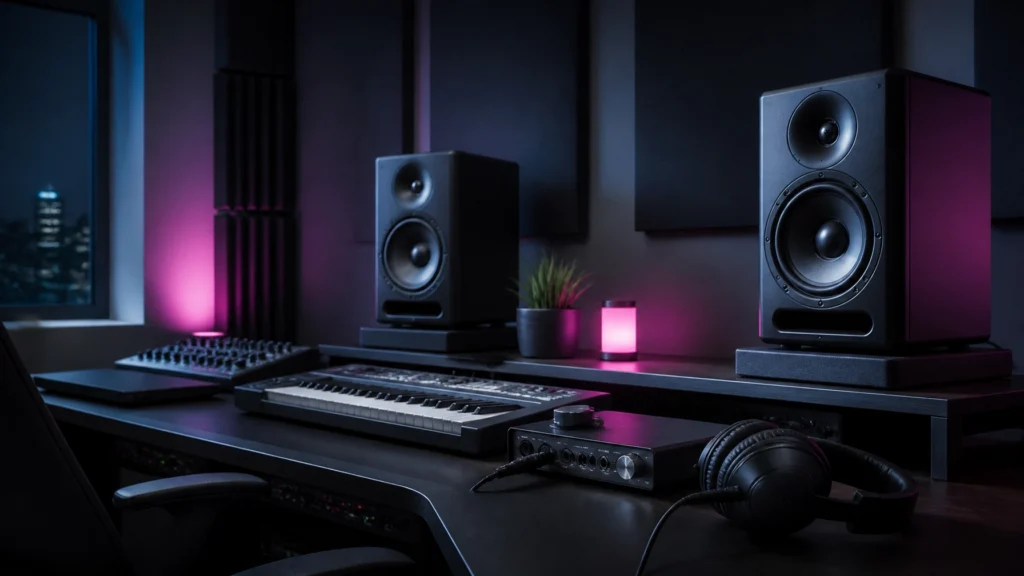
Choosing between studio monitors and headphones affects every mixing decision in a home studio. Both can provide accurate monitoring. Neither is universally better.
The correct choice depends on room acoustics, listening volume, recording requirements, budget, and the type of audio work being completed.
For most home studios, the most reliable long-term setup combines both. Studio monitors provide a natural soundstage and physical low-end response. Headphones provide isolation, detail, and consistent results in rooms with poor acoustics.
Quick Comparison
| Factor | Studio Monitors | Studio Headphones |
|---|---|---|
| Room dependence | Highly dependent on room acoustics | Bypasses the room |
| Stereo imaging | Natural crossfeed and external soundstage | Precise separation but exaggerated width |
| Low-end response | Provides weight and physical impact | Reveals detail and distortion |
| Long sessions | Usually less fatiguing at moderate volume | Can cause greater ear and head fatigue |
| Recording | Creates microphone bleed | Closed-back models provide isolation |
| Space requirements | Requires correct placement and treatment | Requires minimal space |
| Budget entry point | Higher total cost when treatment is included | Lower initial cost |
| Best use | Balance, panning, depth, translation | Editing, detail checks, quiet work |
Studio Monitors: The Better Choice in a Controlled Room
Studio monitors are designed to reproduce audio with minimal coloration. Consumer speakers often emphasize bass, treble, or loudness. Professional monitors aim to make frequency balance and mix problems easier to identify.
A properly installed pair of nearfield monitors can improve decisions involving:
- Overall frequency balance
- Vocal and instrument placement
- Stereo width
- Reverb and delay levels
- Low-end weight
- Mix translation to other speaker systems
Monitors also create a more natural listening experience. Each ear hears both speakers. This acoustic crossfeed produces a soundstage in front of the listener rather than a stereo image positioned inside the head.
This difference matters when adjusting panning, ambience, depth, and stereo effects. A mix that sounds wide on headphones can sound narrow or unbalanced through speakers. Monitors provide a more realistic reference for how music is commonly heard in cars, living rooms, venues, and sound systems.

Room Acoustics Determine Monitor Accuracy
Studio monitors cannot correct a problematic room. Reflections from walls, ceilings, desks, and windows affect frequency response and stereo imaging. Small rooms can also create strong bass peaks and cancellations.
These problems can cause incorrect decisions. A bass-heavy room may lead to a mix with insufficient low end. A room cancellation may lead to excessive bass being added to the track.
Basic acoustic treatment improves monitor performance. The most important measures include:
- Positioning the monitors and listening position symmetrically
- Creating an equilateral triangle between the monitors and listener
- Placing tweeters at ear level
- Using absorption at first-reflection points
- Adding bass trapping in room corners
- Keeping monitors away from walls when possible
- Maintaining a consistent listening position
A small pair of monitors is often more suitable for a compact room than a larger system. Larger drivers can produce more low-frequency energy than the room can accurately support.
JAMMIN’ Sound Solutions provides professional audio equipment and sound solutions for recording, playback, live sound, and installation applications. Acoustic treatment and monitor placement should be considered part of the monitoring system, not separate upgrades.
Headphones: The More Reliable Option in an Untreated Room
Headphones remove the room from the monitoring chain. This provides a consistent reference regardless of the room, time of day, or listening position.
For home studio owners working in bedrooms, apartments, temporary spaces, or untreated rooms, headphones can be the more accurate primary tool. They also require less equipment. A suitable pair can connect directly to an audio interface without speaker stands, acoustic panels, or monitor isolation.
Headphones are particularly useful for:
- Detailed editing
- Noise and hum detection
- Clicks, pops, and timing issues
- Sibilance and harshness checks
- Identifying low-level distortion
- Quiet recording and mixing
- Late-night production
- Mobile or temporary studio work
Open-back studio headphones are generally preferred for mixing because they provide a more open presentation and can reduce the enclosed feeling associated with closed-back designs. They are not suitable for recording microphones because sound leakage can enter the microphone.
Closed-back headphones are better for tracking. They isolate the performer from the playback signal and reduce microphone bleed. Many studios keep both open-back and closed-back headphones for different stages of production.

Headphone Limitations
Headphones do not reproduce the same acoustic experience as monitors. Each ear receives an isolated channel. There is less natural crossfeed, and hard-panned sounds can appear wider than they would through speakers.
This can lead to several problems:
- Excessive stereo width
- Overly narrow speaker translation
- Incorrect panning decisions
- Reverb levels that do not translate
- Bass balances that work on headphones but fail on speakers
A crossfeed plugin or headphone calibration system can make headphone monitoring more speaker-like. These tools can help, but they do not completely replace a properly configured monitor system.
Headphones also make it easier to work at excessive volume. High playback levels increase fatigue and can affect judgment. Short breaks and moderate listening levels are necessary during extended sessions.
Accuracy and Low-End Reproduction
The word “accuracy” means different things when comparing monitors and headphones.
Headphones provide detailed information without room interference. This makes them effective for identifying unwanted resonance, rumble, distortion, and editing errors.
Monitors provide a better sense of low-end weight and physical impact. In a controlled room, they make it easier to judge how kick drums, bass instruments, and sub-bass interact with the entire mix.
The best approach is to use each system for its strengths:
- Use monitors to judge overall low-end weight.
- Use headphones to check bass definition and unwanted resonance.
- Use monitors to assess how the low end interacts with the room.
- Use headphones to identify distortion and low-frequency artifacts.
- Check both systems at a moderate, consistent volume.
A subwoofer is not automatically an improvement for a home studio. It can increase room problems if the room is untreated or the system is not calibrated. A well-positioned pair of nearfield monitors is usually a better starting point.
Mix Translation to Other Systems
Mix translation describes how consistently a mix performs across different playback systems.
Monitor-based mixing generally provides stronger translation to:
- Home stereo systems
- Cars
- Soundbars
- Venue speakers
- PA systems
- Small consumer speakers
Headphone-based mixing is valuable for checking:
- Earbuds
- Personal listening devices
- Phone playback
- Noise isolation
- Fine detail
- Stereo and phase artifacts
No single monitoring system predicts every playback environment. A mix should be checked on the main monitoring system and at least one alternative system.
The most important decisions should be based on problems that appear consistently. A bass issue heard only on one pair of headphones may be a headphone response issue. A balance problem that appears on monitors, headphones, and a car system is more likely to exist in the mix.
Budget Considerations for 2026
The purchase price is only part of the cost of a monitoring setup.
Entry-Level Budget
For a limited budget, quality studio headphones are usually the practical first purchase. They provide a consistent reference and do not require room treatment.
A basic setup may include:
- Closed-back headphones for tracking
- Open-back headphones for mixing
- A reliable audio interface
- Headphone calibration or crossfeed software, if needed
Mid-Range Budget
A mid-range home studio can add compact powered studio monitors after basic acoustic treatment is installed.
Priorities should include:
- A reliable audio interface
- Open-back and closed-back headphones
- First-reflection absorption
- Compact nearfield monitors
- Monitor stands or isolation pads
Spending more on monitors without improving the room may produce less accurate results than investing in treatment and calibration.
Higher Budget
A higher-budget setup can include:
- Professionally designed acoustic treatment
- Calibrated studio monitors
- A monitor controller
- Dedicated headphone amplification
- Multiple headphone references
- Measurement software and room correction
The room should be assessed before selecting larger monitors or adding a subwoofer.
The Best Choice by Use Case
Mixing in an Untreated Bedroom
Choose headphones as the primary monitoring system. Use an open-back model for mixing and a closed-back model for tracking.
Mixing in a Treated Home Studio
Choose studio monitors as the primary reference. Keep headphones available for detail checks, editing, and alternate-system verification.
Recording Vocals or Acoustic Instruments
Choose closed-back headphones for tracking. This reduces playback bleed into the microphone.
Producing Electronic Music
Use both systems. Headphones reveal sub-bass detail and distortion. Monitors provide a better reference for low-end weight and physical impact.
Podcasting and Voiceover
Headphones are sufficient for editing, noise checks, and monitoring during recording. Compact monitors can improve long-session comfort and general playback evaluation.
Content Creation and Video
A hybrid setup is recommended. Monitors help assess natural dialogue balance and background music. Headphones reveal noise, clicks, mouth sounds, and compression artifacts.
Recommended Hybrid Workflow
The most dependable workflow uses monitors and headphones for separate purposes.

1. Set the Initial Balance
Use monitors in a treated room to establish the main balance, stereo field, and overall tone. If the room is untreated, begin with headphones and use conservative decisions around bass and stereo width.
2. Edit and Inspect Details
Switch to headphones for clicks, pops, noise, sibilance, harshness, timing, and low-level distortion.
3. Refine Stereo and Ambience
Use monitors to assess panning, reverb, delay, depth, and width. These elements are more likely to translate when evaluated through a natural speaker-based soundstage.
4. Check Low End
Use monitors to judge bass weight and overall system balance. Use headphones to confirm bass definition and identify unwanted resonance.
5. Test Translation
Check the final mix on monitors, headphones, earbuds, and a small consumer speaker. Keep the listening level moderate and consistent.
Final Recommendation
Headphones are the better first choice for a home studio with limited space, limited budget, or untreated acoustics. They provide reliable detail and avoid the most serious room-related problems.
Studio monitors are the better primary tool in a controlled room. They provide more natural stereo imaging, better low-end perspective, and stronger translation to speaker-based playback systems.
For serious home studio owners, audio enthusiasts, musicians, podcasters, and content creators, the recommended long-term setup is a hybrid monitoring system. Use studio monitors for balance, space, and low-end weight. Use headphones for isolation, editing, detail, and final quality checks.
For additional guidance on selecting audio interfaces, microphones, headphones, monitors, and other pro audio gear, contact JAMMIN’ Sound Solutions.